Asides

  • Control Drivers for 4×4 Multiroom+ POE System (IP / RS232 / IR) – HKHDA44P

    Control Drivers for 4×4 Multiroom+ and POE System –  HKHDA44P

    We have ready-made control system drivers available for the 4×4 Multiroom+ Version 3 and POE Systems for the major control systems used in the UK. These are either IP, IR or RS232 Based.

    Each download package for Control4, AMX, Crestron and RTI also includes support for the 4×4 HDMI Matrix (HKM44-UK, both V1 and V2), 4×4 Multiroom+ Singlewire (HKHA414SW, V1, V2 and V3) and the Multiroom+ 8×8 System (HKHA818SW).
    (more…)

  • Locating the IR window on common HDMI devices

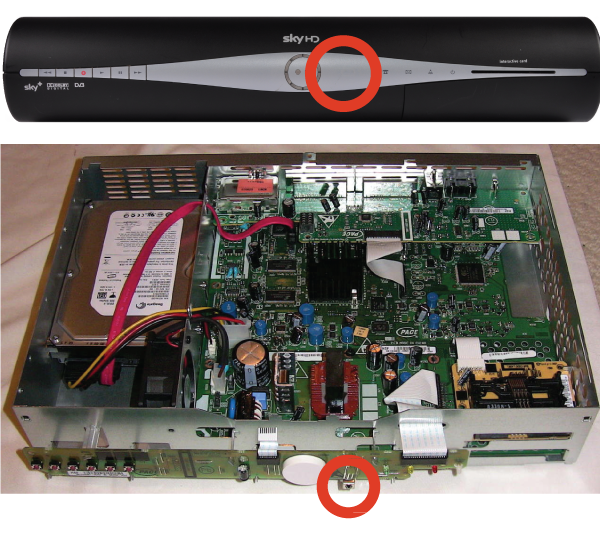
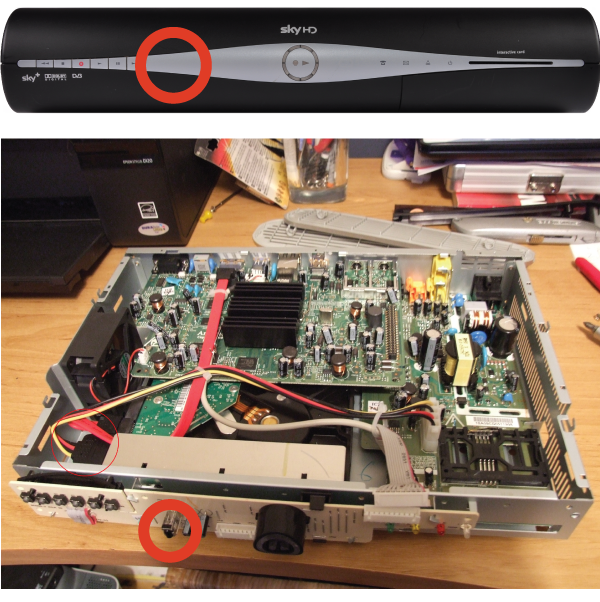
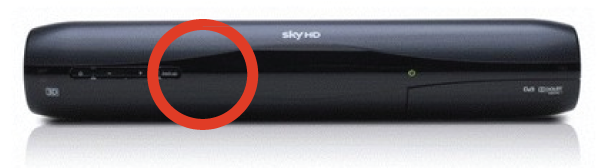
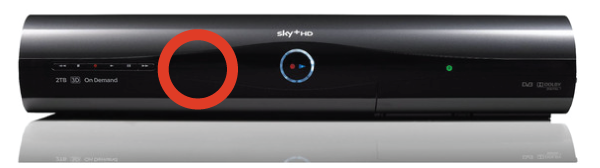
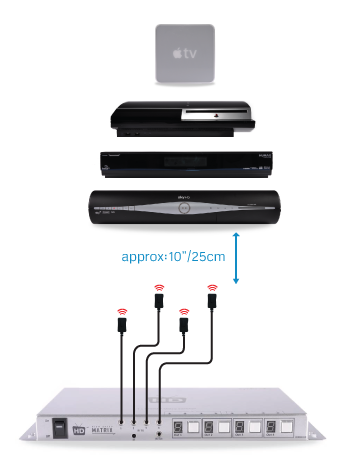
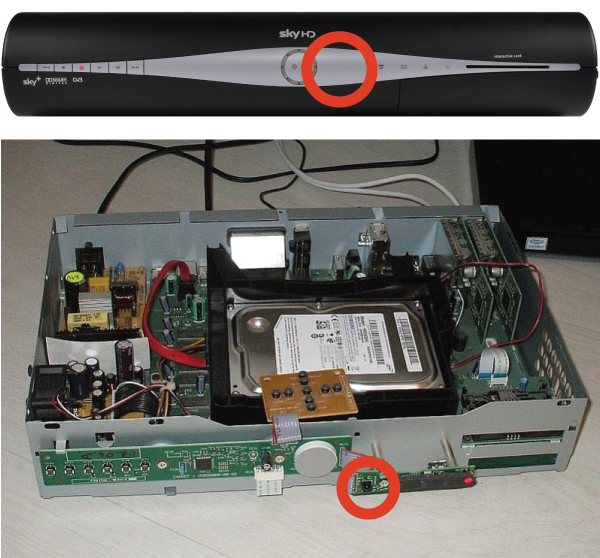
    Finding the IR window on your source device can be difficult if it isn’t mentioned in your user manual or is marked clearly on the front of your device. A very common device is Sky+HD and Virgin’s Tivo boxes. Below, we’ve marked where the IR windows are on these devices for easy installation.

    THOMSON model DSI8215


    PACE model TDS850NB


    Amstrad model DRX895


    Sky multiroom box

    Sky HD Terabyte box


    Can’t find the source device that you we’re looking for? Please email us with a request and we will make it available online the next working day.

    Still having problems with your IR setup?
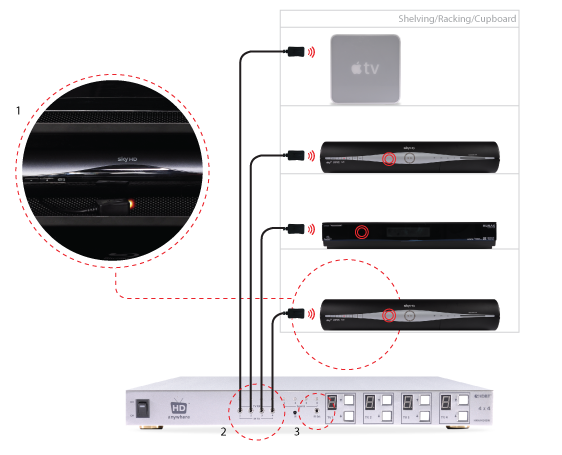
    Please check our HDanywhere IR wiring setup diagrams or have a look at our IR troubleshooting video

  • HKIRKIT-UK: IR over HDMI Injector Kit setup guide

    ir-magic-eye-1

    IR over HDMI Injector Kit setup guide

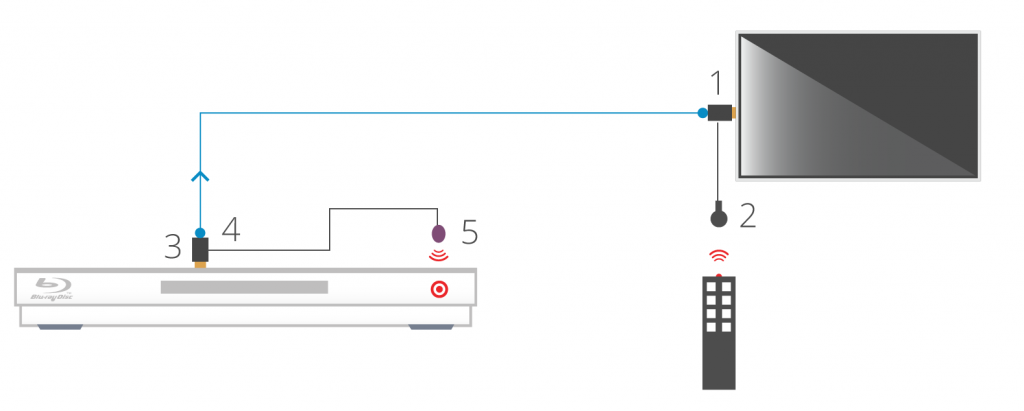
    1. Install the HDMI IR dongle between the HDMI input on the TV and your HDMI cable. Ensure that the switch is set to “IR”. Plug the IR Receiver (see ‘Pack Contents – 2.’) into the stereo jack input on the dongle (labelled RX).
    2. Position the IR Receiver ( see ‘Pack Contents – 2.’) with clear line-of-sight to the remote.
    3. Install the HDMI IR dongle betwen the HDMI input on the source and the HDMI cable, similarly to point 1. Again, ensuring that the switch is set to “IR”.
    4. Plug the IR Transmitter (see ‘Pack Contents – 1.’) into the stereo jack input on the dongle (labelled RX on the dongle).
    5. Position the IR transmitter ( see ‘Pack Contents – 1.’) with clear line-of-sight to the remote receiver on the source.e.

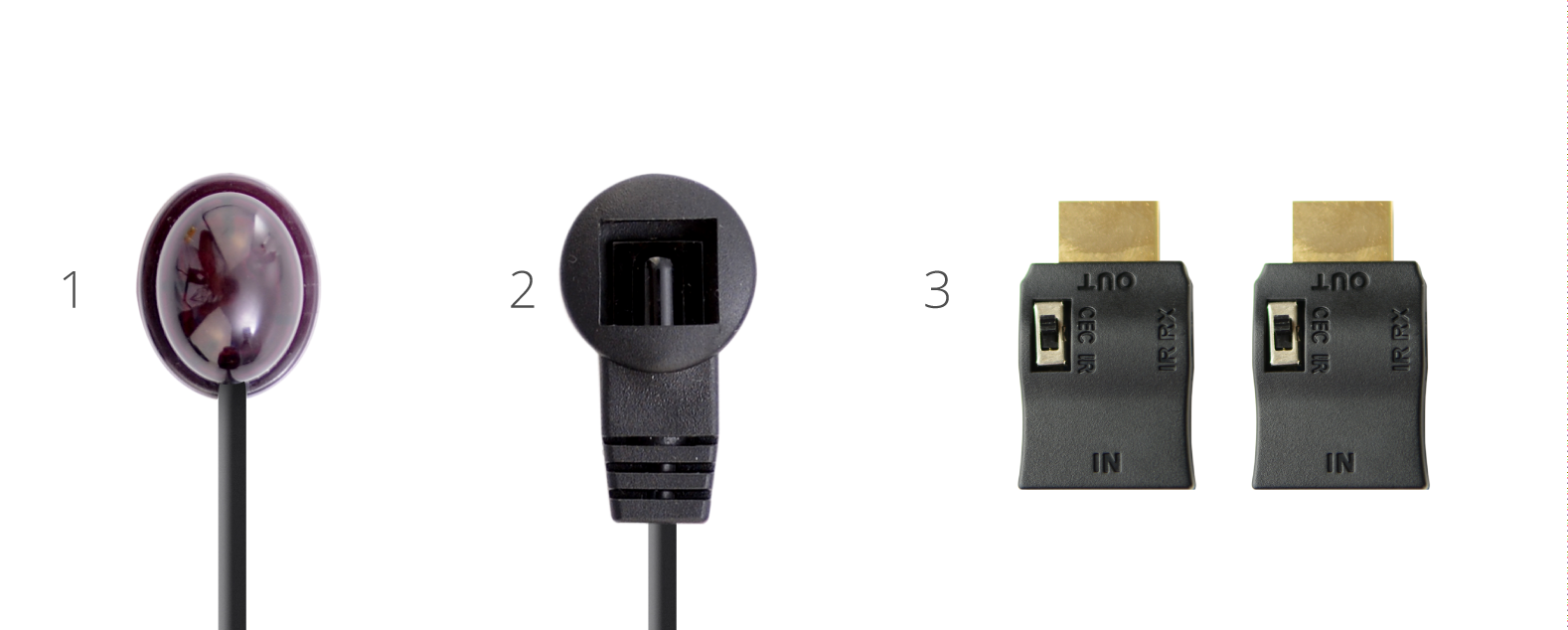
    Pack Contents

    1. IR Transmitter
    2. IR Receiver
    3. IR Dongle (both labled RX)

    ir-magic-eye-2

    You can download this information by clicking here

  • What do the flashing lights on my HDBaseT receivers mean?


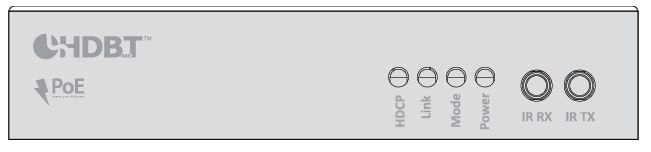
    1. HDCP indictor light – shows whether a handshake between that display and source has been authenticated

    2. Link indicator light – confirms the TV receiver is connected to the hub

    3. Mode indicator light – if flashing all is correct

    4. Power indicator light – Lit when the TV receiver is on

  • RESW50 50m extender support

    50m HDMI + IR Singlewire Extender Support Notes – RESW50

    Should you be experiencing difficulty with our RESW50, please read through the support notes below to troubleshoot your installation. If your issue persists and you need any further information or support, you can contact customer services here. A downloadable and printable version of these notes is available here.

    (more…)

  • IR Passback: The Basics

    Definition

    When you push a button on one of your remote controls at home, a short burst of infrared light is emitted from it (normally from the top at the front of the remote). This short burst of light contains information about the button you have pushed. When this light reaches your source device (sky box, Apple TV etc) it is interpreted and the function of the button you have pushed (stop, play, pause etc) will be performed.

    (more…)

  • HDBaseT Product Distance Capability Notes

    HDBaseT Product Distance Capability Notes

    Products based on HDBaseT are based on one of two groups of electronic chips. The HDBaseT-Pro and HDBaseT-Lite groups. Each has different distances over which it can extend HDMI and this also depends on the type of cable used.

    (more…)

  • HDBaseT Wiring Guidance

    HDanywhere video distribution systems require a single network cable to be run from each HDTV location, back to a central point. Some single wire systems use HDBaseT technology to transmit over 1 x Cat5e/6/7 cable up to a 100 / 328 ft metre distance.

    This article is designed to give you a good overview of the standard of wiring needed for a HDBaseT system. For a detailed, official set of guidelines issued by HDBaseT click here.

    (more…)