Category: Control System Integration Drivers

  • RTI API 2.0 installation guide

    The latest control driver from Chowmain software can be downloaded here included in the download is also an in-depth guide to installing the driver

    The HDAnywhere MHUB RTI driver allows for control of the HDAnywhere range of Video and Audio distribution products. The driver allows for direct switching of inputs to outputs,  the ability to switch preconfigured zones, control of audio levels (volume, mute, etc) and the ability to send IR codes as well as being able to reboot or restart the system.  It is compatible with the following systems:

    MHUB431U
    MHUB862U
    MHUB4KPRO44
    MHUBPRO4440
    MHUB4KPRO88
    MHUBMAX44
    MHUBAUDIO64

    and the following RTI products:

    RP-4RF
    XP-3
    XP-6
    XP-6s
    XP-8s
    XP-8v

    rti-HDA

    IMPORTANT

    Before setting up the RTI driver, the MHUB must have been through its first boot process. This can be done by navigating to the MHUB’s IP address in a web browser or in uControl and following the onscreen instructions. No other setup of the matrix is required, but this step must be completed before the RTI processor can utilise the matrix I/O ports. It is not required otherwise.

  • Loxone API 2.0 installation guide

    The latest control driver from Loxone can be downloaded here

    The Loxone API 2.0 driver is compatible with the following HDANYWHERE products:

    MHUB431U
    MHUB862U
    MHUB4KPRO44
    MHUBPRO4440
    MHUB4KPRO88
    MHUBMAX44
    MHUBAUDIO64

    and the following Loxone products:

    Miniserver
    Miniserver Go


    IMPORTANT

    Before setting up the Loxone driver, the MHUB must have been through its first boot process. This can be done by navigating to the MHUB’s IP address in a web browser or in uControl and following the onscreen instructions. No other setup of the matrix is required.

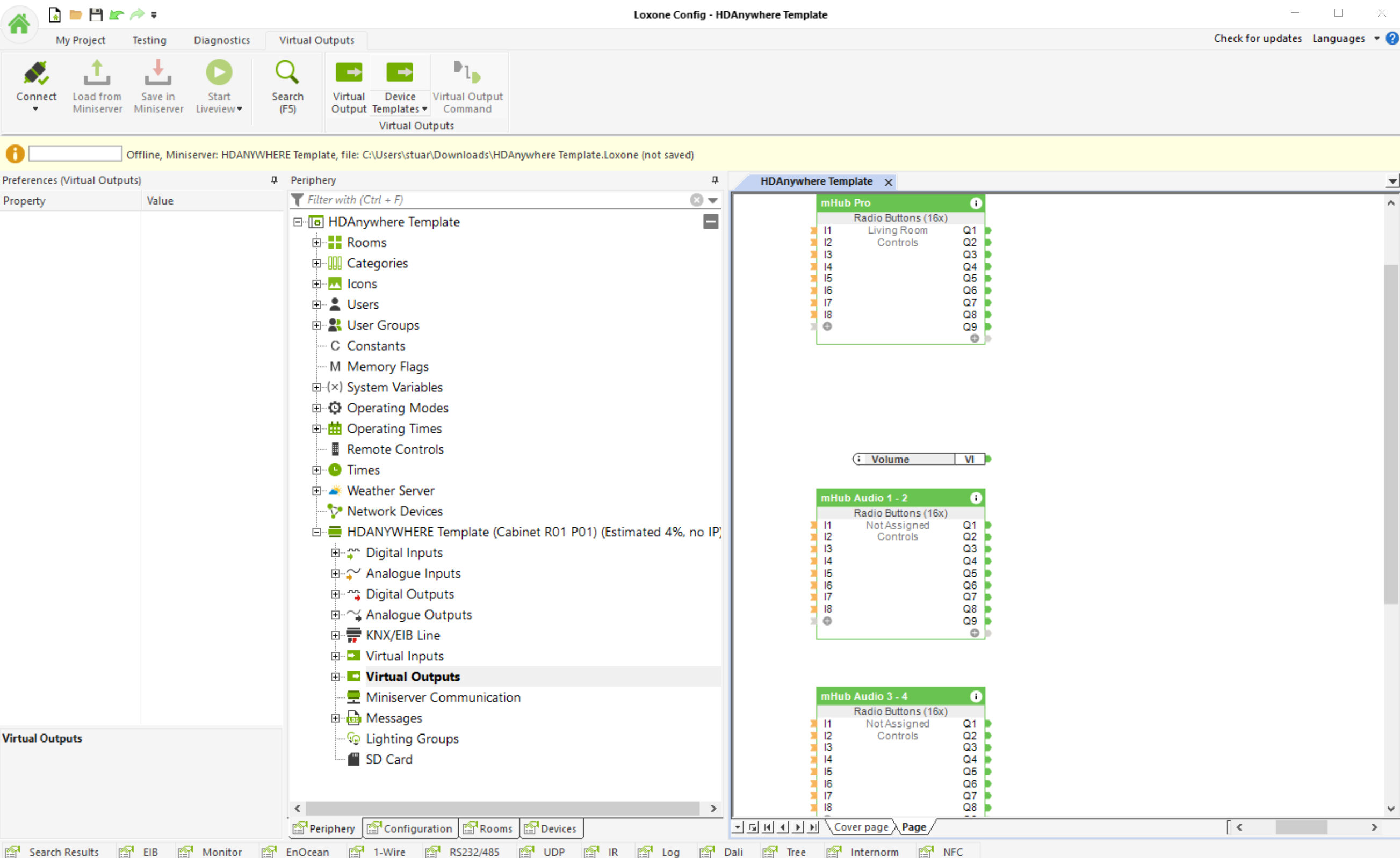
    Add the HDANYWHERE MHUB device template as a “Virtual Output”
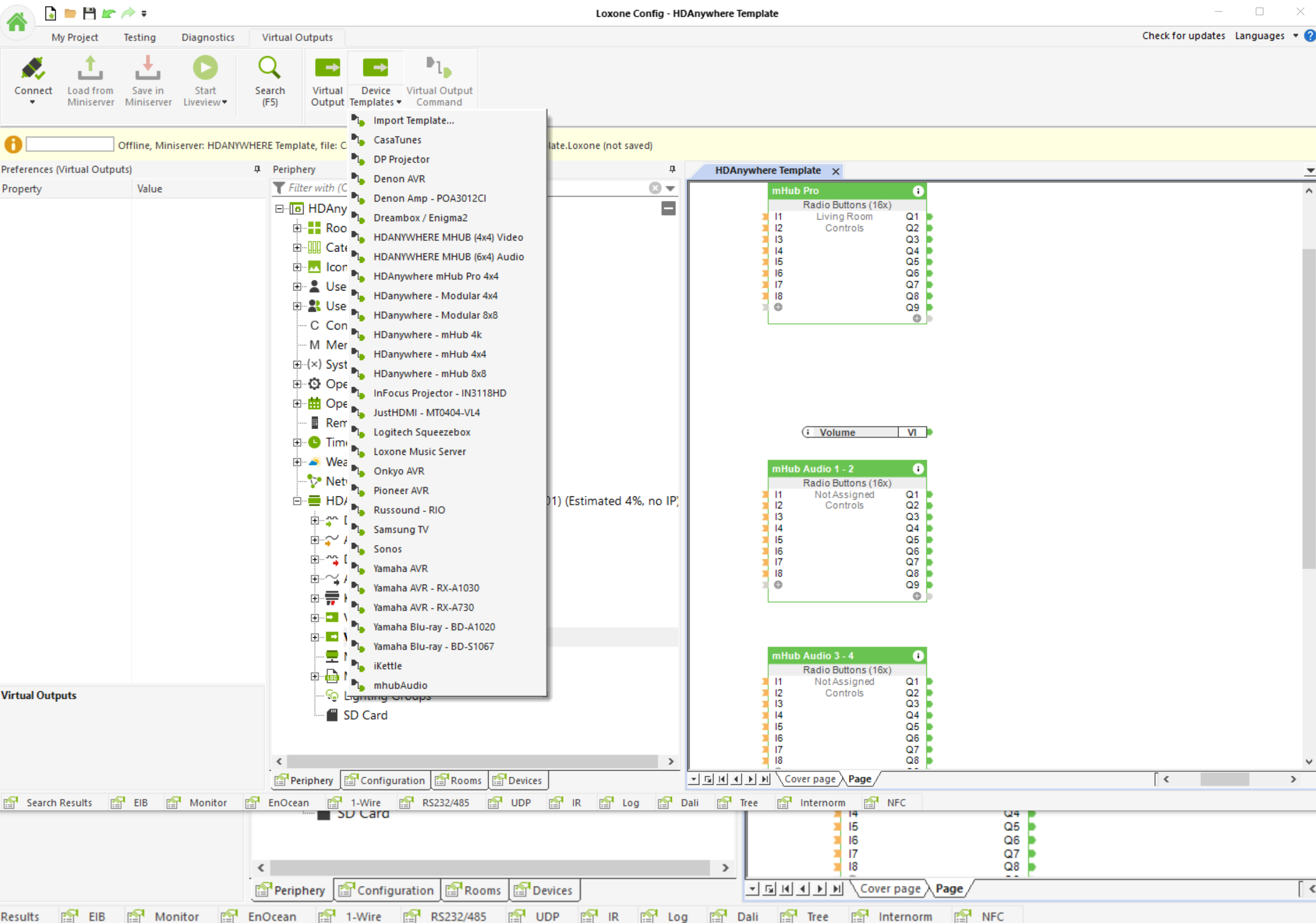
    Loxone 1

    Next, assign your Inputs and outputs
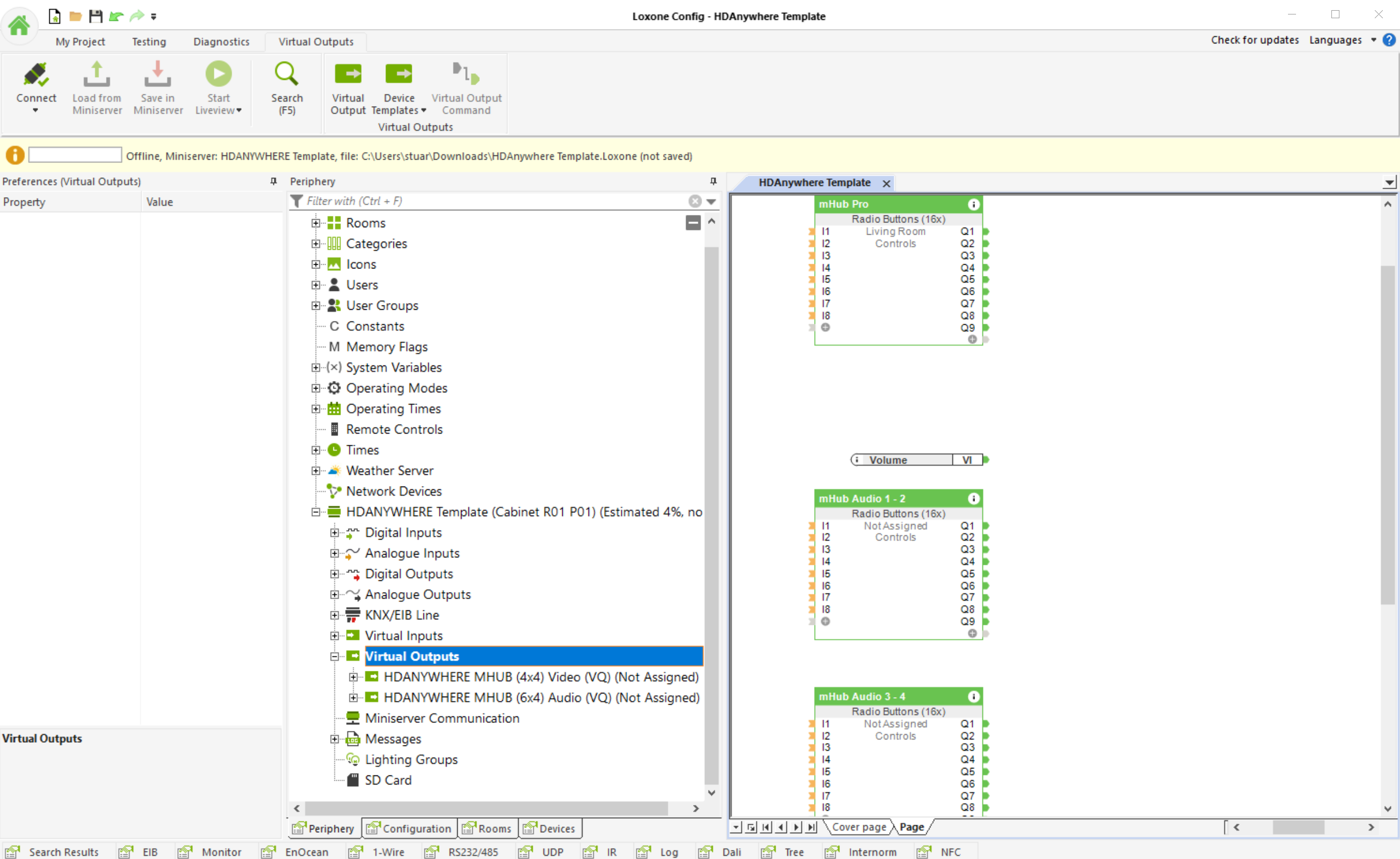
    Loxone 2

    Loxone 3

    The video below shows the entire process


  • Using ARC with Control4 and MHUB

    Control4 does not natively support Audio Return Channel (ARC). With more and more content coming from the likes of Netflix, AppleTV, Disney+ Youtube and BBC iPlayer, this presents a problem for installers who want to take this audio and feed it to external speakers as part of their Control4 project.

    This video shows you how MHUB and our Control4 driver makes the impossible possible and describes the steps you need to follow in Composer to achieve ARC in Control4.

    More information:

    Please ensure that both your MHUB and the Control4 driver supports ARC.

    Download control driver:

    http://support.hdanywhere.com/hda-control-drivers/

    Five reasons why Control4 dealers prefer working with MHUB:

    https://hdanywhere.com/why-c4-dealers-prefer-mhub-pro-2

    4×4 and 8×8 HDBaseT / HDMI Matrix: MHUB PRO 2.0

    https://hdanywhere.com/mhub-pro-2