The latest control driver from Chowmain software can be downloaded here
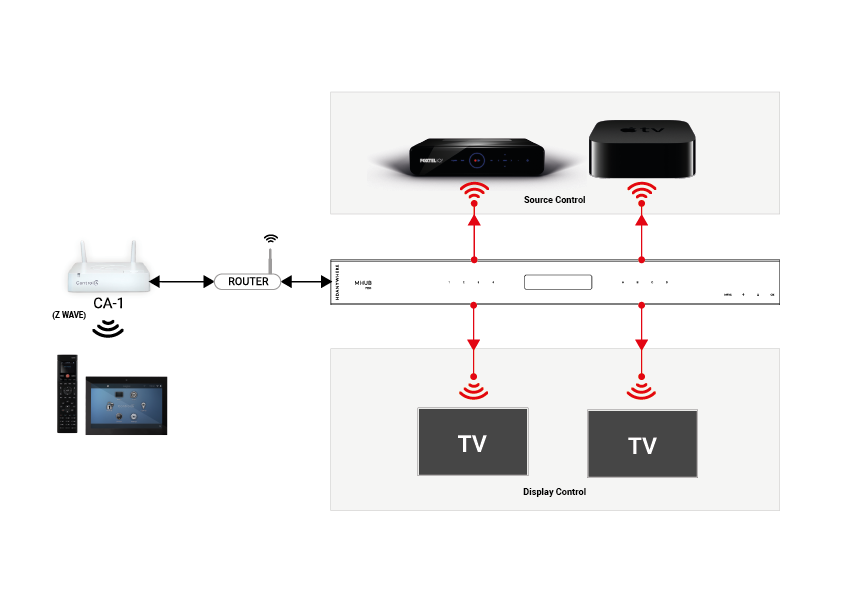
It allows the Control processor to utilise the IR inputs and outputs of the HDANYWHERE matrix as if it was there own. Allowing installers to spec smaller Control 4 processors than they would typically need and is compatible with the following HDANYWHERE products:
MHUB431U
MHUB862U
MHUB4KPRO44
MHUBPRO4440
MHUB4KPRO88
MHUBMAX44
MHUBAUDIO64
and the following Control 4 products:
CA-1
EA-1
EA-3
EA-5
HC250
HC800
HC1000
IMPORTANT
Before setting up the Control 4 driver, the MHUB must have been through its first boot process. This can be done by navigating to the MHUB’s IP address in a web browser or in uControl and following the onscreen instructions. No other setup of the matrix is required, but this step must be completed before the C4 processor can utilise the matrix I/O ports. It is not required otherwise.
Add the HDANYWHERE driver as you would any other driver, the driver will auto-discover a video matrix or multiple Audio Matrices
The next step is to setup your control and AV connections. Traditionally in a normal Control 4 setup, you would bind the source devices ‘control inputs’ with an IR output on the C4 controller. Instead, with the MHUB Video driver’s you can route the control through the MHUB’s IR ports utilising the IP>IR Engine. Similarly, Display IR is routed through the Display IR ports on the matrix. This video shows how to make these bindings